32. Security
The following sections will help you gain an understanding of how AWX handles and lets you control file system security.
All playbooks are executed via the awx file system user. For running jobs, AWX offers job isolation via the use of Linux containers. This projection ensures jobs can only access playbooks, roles, and data from the Project directory for that job template.
For credential security, users may choose to upload locked SSH keys and set the unlock password to “ask”. You can also choose to have the system prompt them for SSH credentials or sudo passwords rather than having the system store them in the database.
32.1. Playbook Access and Information Sharing
AWX’s use of automation execution environments and Linux containers prevents playbooks from reading files outside of their project directory.
By default, the only data exposed to the ansible-playbook process inside the container is the current project being used.
You can customize this in the Job Settings and expose additional directories from the host into the container. Refer the next section, Isolation functionality and variables for more information.
32.1.1. Isolation functionality and variables
AWX uses container technology to isolate jobs from each other. By default, only the current project is exposed to the container running a job template.
You may find that you need to customize your playbook runs to expose additional directories. To fine tune your usage of job isolation, there are certain variables that can be set.
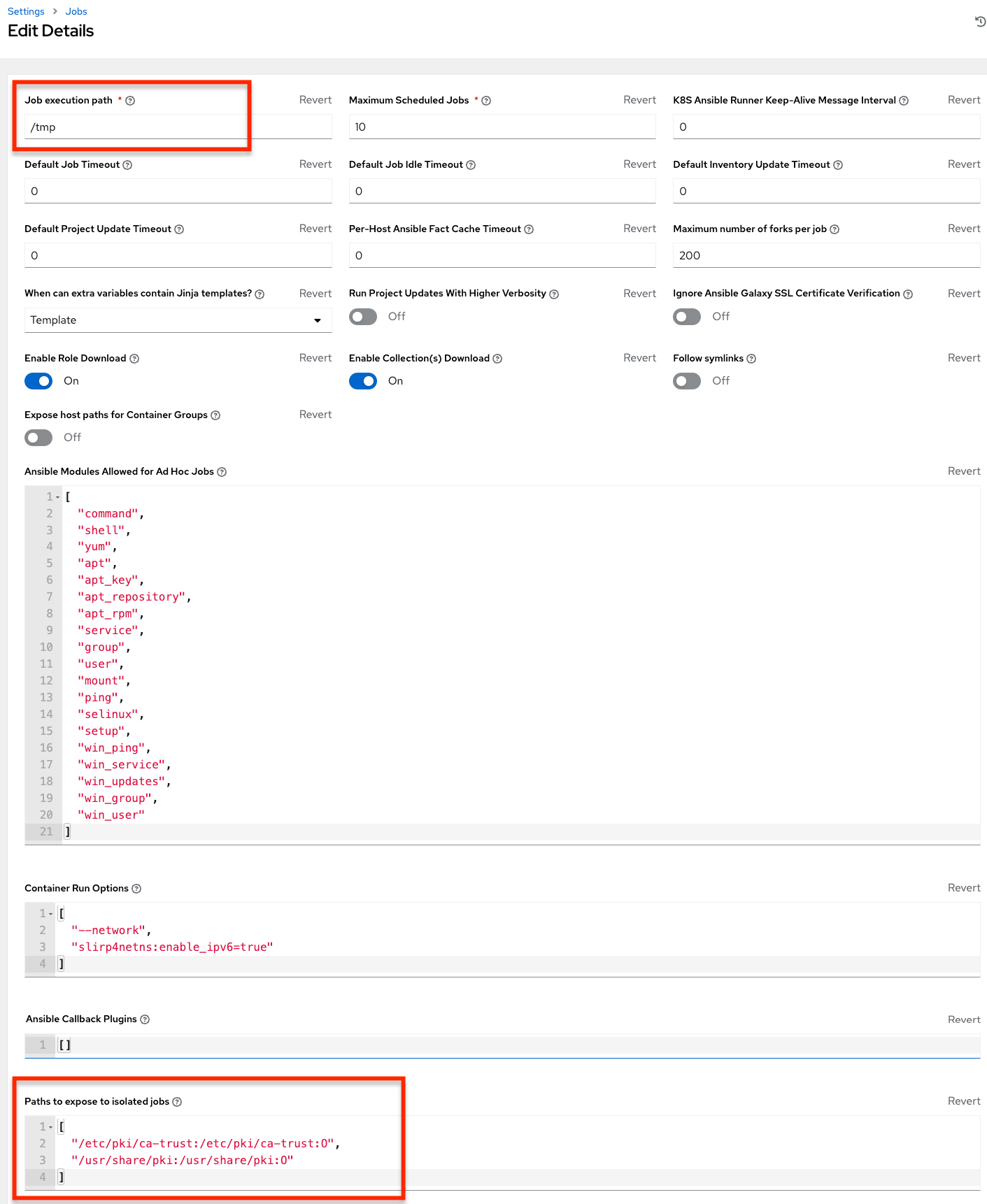
By default, AWX will use the system’s tmp directory (/tmp by default) as its staging area. This can be changed in the Job Execution Path field of the Jobs settings screen, or in the REST API at /api/v2/settings/jobs:
AWX_ISOLATION_BASE_PATH = "/opt/tmp"
If there are any additional directories that should specifically be exposed from the host to the container that playbooks run in, you can specify those in the Paths to Expose to Isolated Jobs
field of the Jobs setting screen, or in the REST API at /api/v2/settings/jobs:
AWX_ISOLATION_SHOW_PATHS = ['/list/of/', '/paths']
Note
The primary file you may want to add to
AWX_ISOLATION_SHOW_PATHSis/var/lib/awx/.ssh, if your playbooks need to use keys or settings defined there.
The above fields can be found in the Jobs Settings window: